Turf Rotation Field hockey substitution app
Fair minutes. Calm touchline.
A free substitution app and playing-time tracker for field hockey coaches, on tablets and phones. Plan rolling substitutions through each line, see pitch and bench time at a glance, log cards, goals and penalty corners, and download a full match report at the final whistle.
Free while we test it. Works in your browser, installs to your home screen, and runs with no signal at the pitch.
Built for hockey, not any sport
Generic sub timers don’t know about lines, rolling substitutions, green and yellow cards or penalty corners. Turf Rotation does, so every player gets fair minutes and you can prove it.
Line-by-line rotation
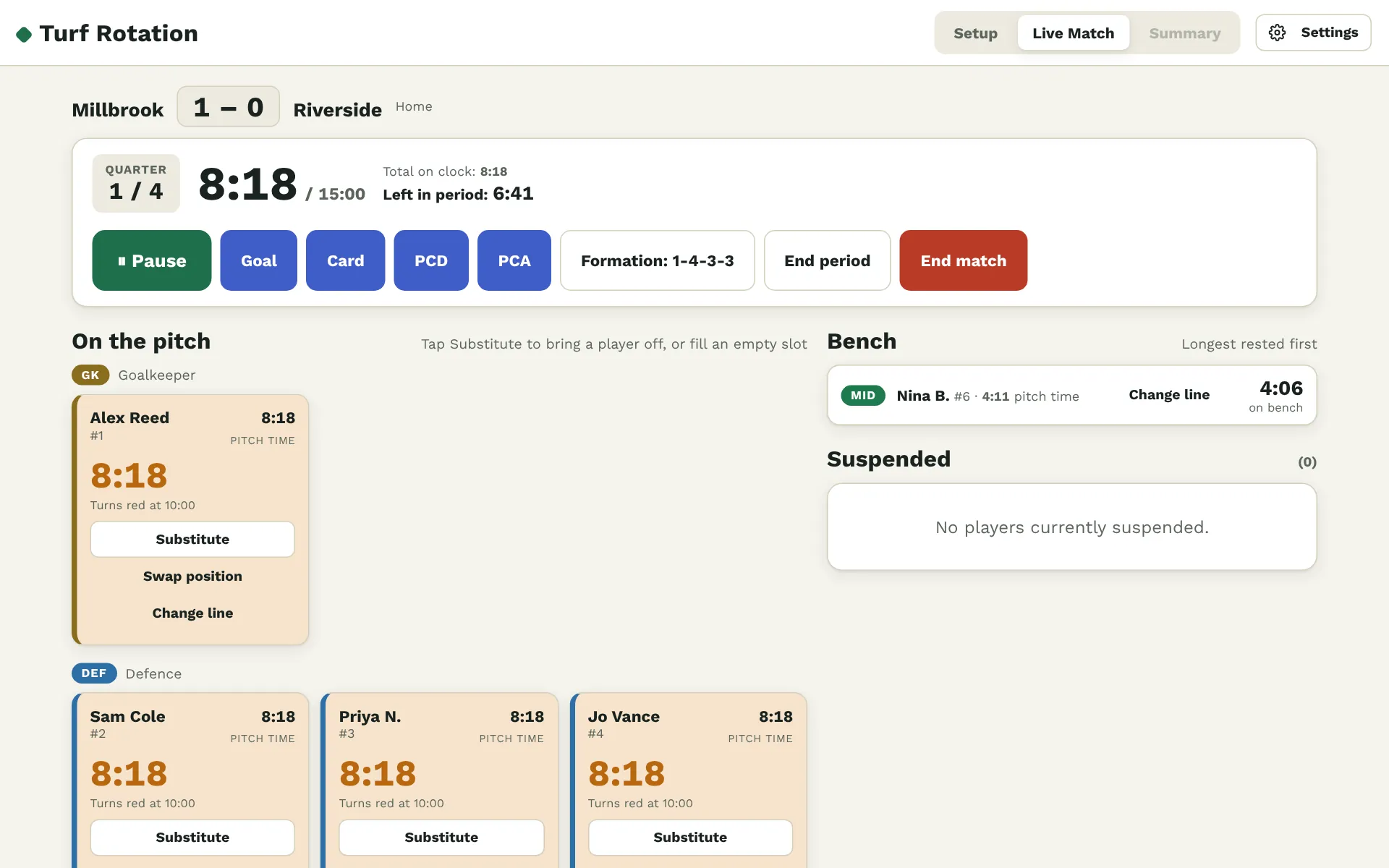
Set your formation and put players into goalkeeper, defence, midfield and attack, so substitutions rotate through the right line.
Pitch & bench timers
See each player’s time on and off the pitch. Timers turn amber as a player nears their rotation time and red once they pass it.
Cards & suspensions
Card countdowns, a Suspended section while you play a player short, and cards given to players on the bench.
Goals & penalty corners
Log goals by type (field goal, penalty corner, penalty stroke), and attacking and defending penalty corners.
Video-ready time stamps
Every event is stamped with UK clock time as well as match time, so you can jump straight to it in your match video.
Match reports
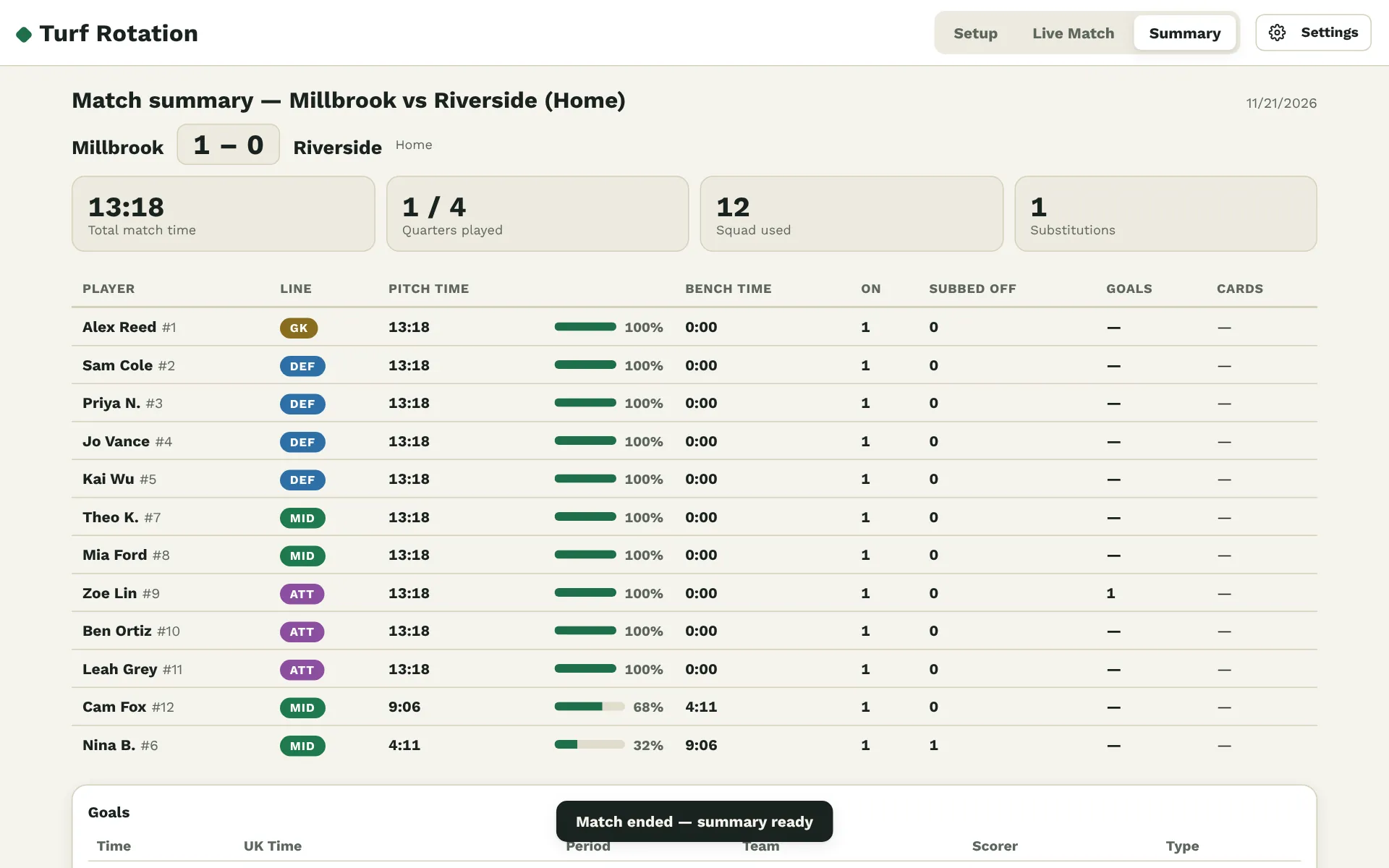
Total pitch time for every player plus the full event log, downloaded as a PDF or a CSV at the final whistle.
Match day in three steps
Pick your squad
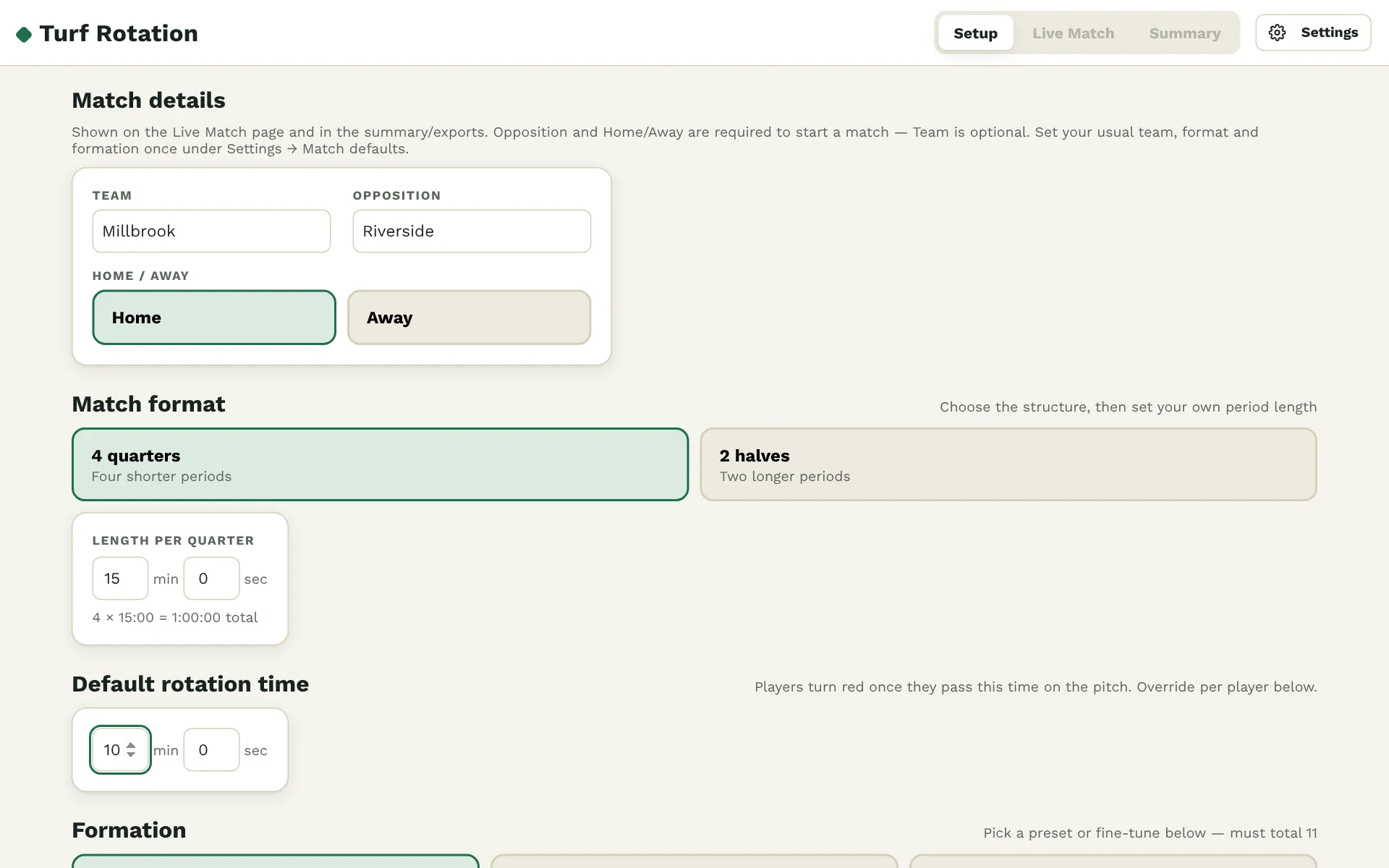
Enter up to 18 players, choose your formation, and pick four quarters or two halves.
Run the match
Tap Substitute on a player coming off, pick who comes on, and log goals, cards and corners as they happen.
Check everyone played
See total minutes per player at full time, then download the report for your records.
Free while we test it
Turf Rotation is free for coaches this season while we test it. Tell us what works and what doesn’t, using Settings → Send feedback in the app, and help shape what comes next.
Questions
Does it work without signal at the pitch?
Yes. Install it and open it once with an internet connection, and download one PDF report while you’re online. After that it opens and runs with no signal at all.
Which devices can I use?
Android tablets and phones, iPads and iPhones, and Windows or Mac computers, in an up-to-date browser. A tablet is easiest on the touchline.
How do I install it?
Open turfrotation.parttimehockeycoach.co.uk. On Android, tap Install on the banner (or the install icon in Chrome’s address bar). On an iPhone or iPad, tap Safari’s Share button, then Add to Home Screen. The help page has step-by-step instructions.
Where is my players’ data stored?
On your device only. Squads, matches and settings stay in the app on your tablet or phone and are not sent to us. See the privacy notice.
Does it handle quarters and halves?
Yes. Choose 4 quarters or 2 halves for each match, with your own period lengths. You can save your usual set-up as match defaults.
What does it cost?
Nothing while we test it with coaches this season. If we introduce paid features later, we’ll say so clearly first.